이 페이지의 내용
핵심 요약
- Our September update brings iPad and Mac support, Atlas Points, train and bus information, Safety Alerts, and more ways to record your visits.
- Goshuin Atlas versions 2.5.0 through 2.6.2 bring the app to bigger screens and add new ways to explore Japan between temple and shrine visits.
- Goshuin Atlas is available on iPad and Mac. Version 2.5.0 brought the places and community you know to a larger screen, giving you more room to browse before a trip or revisit it afterwards.
Goshuin Atlas versions 2.5.0 through 2.6.2 bring the app to bigger screens and add new ways to explore Japan between temple and shrine visits. This roundup covers the changes shared in our September 7, 2026 update, from Atlas Points to transportation and Safety Alerts.
More room to explore on iPad and Mac
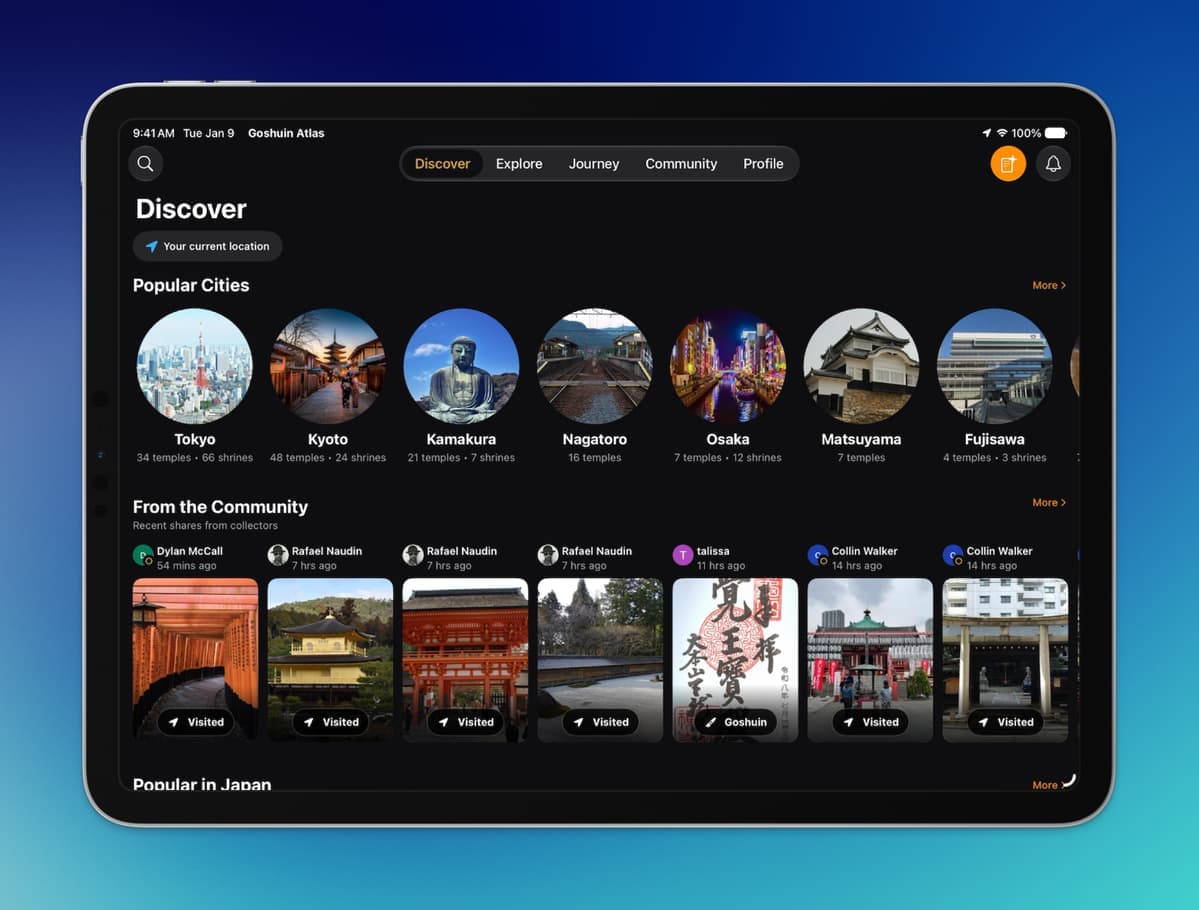
Goshuin Atlas is available on iPad and Mac. Version 2.5.0 brought the places and community you know to a larger screen, giving you more room to browse before a trip or revisit it afterwards.
The iPad interface shared with the release announcement. This screenshot still uses the earlier Journey navigation label.
Profiles also gained optional country and social-link fields. You decide what to share. Those links offer a way to connect through the services you already use.
The optional country and social-link fields on the Edit Profile screen, as shown in the September announcement.
Atlas Points recognise useful contributions
A photo can help someone recognise a shrine entrance. A review can give a future visitor context. An approved correction can make a place record more reliable.
Atlas Points replace the earlier Achievements system. Publishing photos and reviews, or having corrections approved, earns points. Your Atlas Level grows as you contribute. It is a way to recognise the work members put into making the catalogue more useful.
Atlas Level, points and the leaderboard from the release announcement.
Find your next stop by train or bus
The new iOS transportation features let you explore lines, check upcoming departures and see live vehicle positions where data is available. You can also find stops with temples and shrines nearby.
Live Activities bring departure information to the Lock Screen and Dynamic Island. Coverage is still being improved, so the release does not promise live information for every service. For a web example of exploring along a line, browse the Toei Oedo Line.
The transportation screens shared in the announcement: a highlighted line, live departures and nearby sacred places.
Safety Alerts alongside your plans
Safety Alerts appear in Discover and Trip, surfacing information about hazards such as extreme heat, heavy rain and earthquakes. In-app alerts and push notifications are different features: real-time notifications were still in development when this announcement was sent.
Safety Alerts listed for Tokyo in the September screenshot.
The same applies to the Trip planner. It was in its final testing phase in September, rather than part of the shipped planner experience described here.
Smaller changes worth trying
- Your collection: add a back cover to a goshuincho and attach paper slips to a goshuin record.
- Place discovery: UNESCO badges are easier to see, and popular-place recommendations use visits and saves.
- Sharing: share an omikuji with friends.
- Place information: PDF leaflets are being added progressively.
- Navigation: Journey is now called Trip.
A goshuincho (御朱印帳, goshuinchō) is a book for temple and shrine stamps. Our goshuincho guide explains the physical books that the digital collection accompanies.
Explore the update
Get the current app from the App Store, or start with the temple and shrine catalogue on the web. Thank you to everyone whose photos, corrections and feedback helped shape these releases.